Re-checked 2026-11-23 (Curator Pass B)
Core model (Workflow tool, JS scripts, resumability,
/workflows) still matches the docs. Updated: ultracode scope,/deep-researchas a bundled workflow, save locations, model wording.
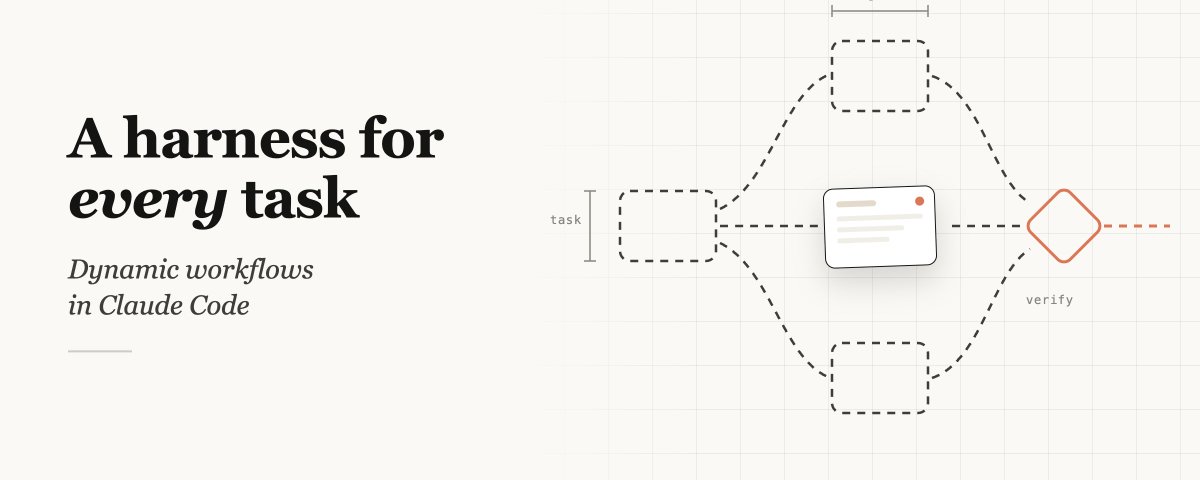
Dynamic workflows let Claude write its own harness on the fly, custom-built for the task at hand. Instead of planning and executing inside one context window, Claude authors a small JavaScript file that spawns and coordinates subagents, each with its own clean context and a narrow goal. It is Anthropic’s productized answer to the question “what if the agent could build the right harness for each task rather than reusing one generic loop?”
Source: A harness for every task: dynamic workflows in Claude Code (Thariq Shihipar & Sid Bidasaria, Anthropic, also on the Claude Blog).
This is the feature behind the
WorkflowtoolWhen Claude Code runs a workflow, this is the mechanism. Trigger it by asking for “a workflow,” or use the keyword ultracode in a prompt you type yourself, or run
/effort ultracodefor the whole session (the keyword does nothing underclaude -por in scheduled tasks). Best practices are still developing — workflows often use more tokens, so they are not a default for every task.
Why it exists: three failure modes of a single context window
The default Claude Code harness is built for coding and handles most tasks well because many tasks resemble coding. But over long-running, massively parallel, or adversarial tasks, one context window degrades in three specific ways. These are the load-bearing reason workflows exist:
- Agentic laziness — Claude declares the job done after partial progress (addressing 20 of 50 items in a security review).
- Self-preferential bias — Claude prefers its own results when asked to verify or judge them. (The same bias that motivates orchestrator-worker separation in Multi-Agent Research System - Production Lessons.)
- Goal drift — gradual loss of fidelity to the objective across many turns, especially after compaction. Each summarization is lossy; “don’t do X” constraints and edge-case requirements get lost. (See Context Window Management Strategies on why auto-compaction launders mistakes.)
Orchestrating separate Claudes with isolated context windows and focused goals structurally combats all three. A verifier with its own context can’t have self-preferential bias toward work it didn’t do; a fresh subagent can’t suffer the goal drift of a 200-turn transcript.
How it works
A workflow is a JavaScript file with a few special functions for spawning subagents, plus standard JS (JSON, Math, Array) for processing data. Two levers make it more than a script runner:
- Per-agent model choice — the workflow decides whether a given subagent runs on Sonnet or Opus (the Model Tier Routing decision, made programmatically per step).
- Per-agent worktree isolation — subagents can run in their own git worktree so parallel file edits don’t collide (the same isolation Cursor uses for background agents).
Workflows are resumable: if interrupted (user action, quitting the terminal), resuming the session picks up where it left off. State survives the window.
Dynamic vs static
A static workflow (a script you write and keep, run from claude -p or the Agent SDK) has to handle all edge cases, so it stays generic. A dynamic workflow is written fresh for one use case — feasible now because A current Opus model is intelligent enough to author a tailored harness on demand. This is the Self-Extending Agents idea applied to orchestration: the agent extends itself by writing the coordinator, not just a tool.
The six composable patterns
Claude mixes these when building a workflow. They map closely onto the Five Workflow Patterns for AI Agents vocabulary but add the adversarial and competitive shapes:
| Pattern | Shape | When |
|---|---|---|
| Classify-and-act | Classifier routes to different agents/behavior | Heterogeneous inputs; routing decisions |
| Fan-out-and-synthesize | Many parallel agents → barrier → merge structured outputs | Many independent sub-steps; each needs a clean context |
| Adversarial verification | For each agent’s output, a separate agent tries to refute it against a rubric | Findings that must be trustworthy (security, fact-checking) |
| Generate-and-filter | Generate many ideas → filter/dedupe/verify → keep best | Brainstorming, candidate generation |
| Tournament | N agents attempt the same task differently; pairwise judge until a winner | Taste-based or open-ended tasks; sorting |
| Loop until done | Keep spawning until a stop condition (no new findings, no errors) | Unknown-size work; don’t guess a fixed pass count |
The fan-out-and-synthesize synthesize step is a barrier: it waits for all fan-out agents, then merges. The tournament insight is that comparative (pairwise) judgment is more reliable than absolute scoring — the same reason you sort by comparison rather than asking for a 1–10 score.
Use cases (technical and non-technical)
The authors stress workflows are often more useful for non-technical work:
- Migrations / refactors — Bun was rewritten Zig → Rust this way. One subagent per fix in a worktree, an adversarial reviewer, then merge. (See Agentic Porting Workflow for the manual ancestor of this pattern.)
- Deep research — the bundled
/deep-researchworkflow is a dynamic workflow: fan out web searches, fetch sources, adversarially verify claims, synthesize a cited report. Generalizes to Slack status reports or codebase exploration. - Deep verification — one agent extracts every factual claim, a subagent checks each in detail, a meta-agent checks source quality. (“Verify every technical claim in my blog draft against the codebase.”)
- Sorting at scale — 1000+ rows won’t fit one prompt; run a pairwise-comparison tournament or bucket-rank in parallel then merge.
- Memory and rule adherence — one verifier agent per CLAUDE.md rule, with a skeptic persona to cut false positives. Reverse direction: mine sessions and review comments for recurring corrections and distill survivors into rules — the Ratchet, automated.
- Root-cause investigation — independent hypotheses from disjoint evidence (logs / files / data), each faced by verifiers and refuters. Structurally prevents self-preferential bias. Works for sales, data pipelines, any post-mortem.
- Triage at scale — classify → dedupe against tracked items → fix or escalate. Pair with
/loopto run continuously. Uses a quarantine pattern: agents reading untrusted public content are barred from high-privilege actions (a direct application of the Agents Rule of Two / lethal trifecta defence). - Exploration and taste — explore many design/naming solutions against a review-agent rubric; done when the rubric is met.
- Evals — spin off candidates in worktrees, grade with comparison agents against a rubric (e.g. refining a skill).
- Model routing — a classifier researches task complexity, then routes to Sonnet or Opus.
When not to use them
Workflows cost significantly more tokens and are not needed for every task. For regular coding, ask: does this really need more compute? Most traditional coding tasks do not need a panel of 5 reviewers. This is the same discipline as Multi-Agent Systems: start with one agent, escalate only when the task genuinely has width or needs adversarial separation.
Practitioner tips
- Prompt the specific pattern — name “adversarial review,” “tournament,” etc. Workflows aren’t only for big tasks; ask for a “quick workflow” (a fast adversarial check of an assumption).
- Compose with
/goaland/loop—/goalsets a hard completion requirement (defeats agentic laziness);/loopruns repeatable workflows (triage, research) on an interval. (See Claude Code Automation Stack.) - Set token budgets — “use 10k tokens” caps spend.
- Save and share — press
sin the workflow menu; presssin/workflowsto save to.claude/workflows/(shared with the repo) or~/.claude/workflows/(personal), or ship it in a plugin’sworkflows/folder (reference the.jsfiles inSKILL.md, and prompt Claude to treat them as templates, not verbatim scripts). This is how a one-off workflow becomes a reusable skill.
Where it sits in the vault
Dynamic workflows are the on-demand, single-session end of the orchestration spectrum:
- Multi-Agent Systems — the beginner default (“start with one agent”); this page is what you graduate into.
- Multi-Agent Research System - Production Lessons — the hand-built orchestrator-worker system whose lessons (self-preferential bias, prompting heuristics) the workflow feature internalizes.
- Five Workflow Patterns for AI Agents — the foundational pattern vocabulary these six extend.
- Agent Swarms — the same orchestrator-worker shape pushed to horizontal scale (hundreds of agents, the Kimi case); workflows are the Claude-native, opinionated cousin.
- Agent Harness / Harness Engineering — workflows are “a harness for every task”: Claude writes the harness instead of reusing one.
- Orchestration Tax — the catch: more parallel agents means more output for the human serial reviewer to verify.
See Also
- Claude Code Automation Stack —
/loop,/goal, Routines; the automation layer workflows compose with - Self-Extending Agents — agents that write their own scaffolding
- Slash Commands —
/deep-researchand other workflow-backed commands - Context Window Management Strategies — why isolated contexts beat one long transcript