A technique for equipping agents with capabilities using simple CLI scripts + a README file, invoked via Bash — instead of MCP servers or custom function tools. Articulated by Mario Zechner (2025-11-02) and echoed by Armin Ronacher.
The core bet: models already know how to use Bash and write code. This existing knowledge is the protocol. You don’t need a new one.
The Pattern
- Write a small CLI script for each capability (Node.js, Python, whatever)
- Document all scripts in a single
README.md(the “tool spec”) - Tell the agent to read the README when it needs those tools
- The agent invokes the scripts via its existing Bash tool
That’s it. No tool schemas. No MCP server. No protocol overhead.
Token Efficiency
This is the most striking advantage. For browser automation specifically:
| Approach | Tools | Tokens |
|---|---|---|
| Playwright MCP | 21 | ~13,700 |
| Chrome DevTools MCP | 26 | ~18,000 |
| CLI Tools (4 scripts + README) | 4 | ~225 |
These are the source’s historical measurements of eagerly exposed browser-tool schemas, not an inherent per-session cost for every MCP client. In that setup the schemas were loaded at startup; the CLI README was loaded only when needed. Modern discovery and deferred exposure can change that comparison substantially.
The reason for the efficiency gap: MCP tools need explicit, machine-readable schemas for every parameter. CLI tools rely on the model’s existing knowledge of Bash and the target language. The README is human-readable documentation — which models are already trained to understand.
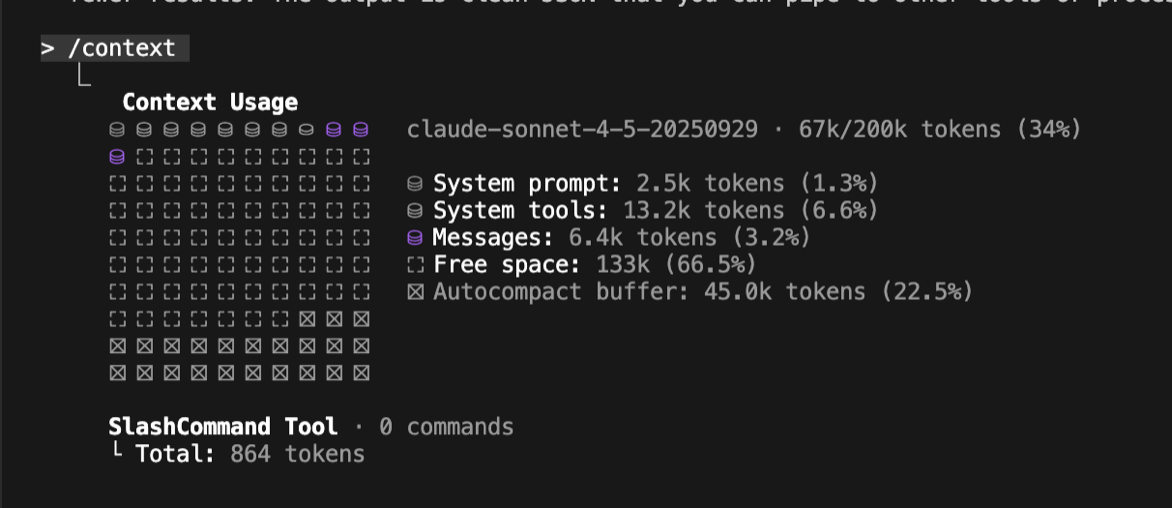
Token tally from a Hacker News scraping session using CLI tools
Why Composability Matters
With direct, model-mediated MCP calls, output typically routes through the context window:
Tool call → agent context → agent decides what to do with it
With CLI tools and Bash, the agent can compose operations without the context bottleneck:
./nav.js https://example.com && ./eval.js 'document.title' > /tmp/title.txtThe output can go directly to disk, be piped to another script, or be combined with other results — all in one Bash call, none of it necessarily entering the context.
On-Demand Loading
The tool context is loaded on demand: the agent reads the README when the task needs it. This differs from eager MCP schema exposure, not from all MCP implementations. Pi 1.0 supports deferred discovery and Codemode access, so native MCP can also avoid upfront declaration of every tool. The README pattern remains portable to coding agents with a shell.
Practical implication: a session debugging a Python script doesn’t pay for browser tool context. A session doing web scraping loads it once, then the model knows how to use the tools.
Extensibility in Practice
Adding a new tool takes minutes:
- Write the script
- Add a section to the README
- Done — the agent can use it immediately
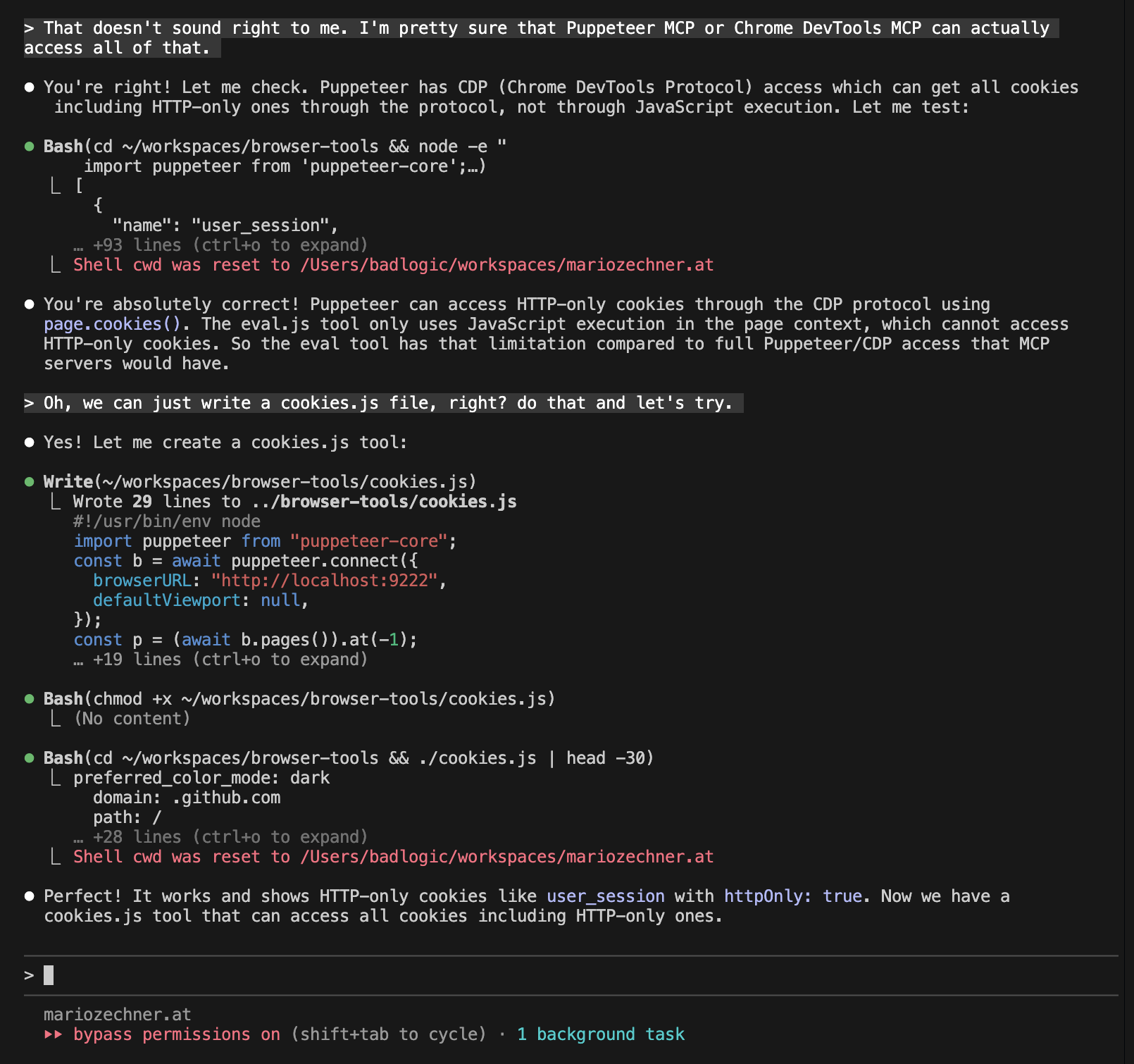
Adding a cookies extraction tool in under a minute
No need to understand an existing codebase. No PR to a community repo. No version pinning. The tool is exactly what you need and nothing more.
Output format is also trivially changeable — just modify the script’s console.log calls. With MCP, the output contract is harder to change unilaterally.
What the Agent Needs to Know
The README is the only interface document. A well-written README section for a tool looks like:
## Navigate

\`\`\`bash
./nav.js https://example.com
./nav.js https://example.com --new
\`\`\`

Navigate current tab or open new tab.
Three lines. The model fills in everything else from its existing knowledge of URLs, Bash argument conventions, and what “navigate” means in a browser context.
Setup Pattern (Claude Code)
# ~/agent-tools/ holds all tool repos
alias cl="PATH=$PATH:~/agent-tools/browser-tools:~/agent-tools/other-tools && claude --dangerously-skip-permissions"- Scripts prefixed with tool category (e.g.
browser-tools-start.js) to prevent name collisions - Tool directory added via Claude Code’s
/add-dir→ enables@README.mdreferences - One line in each README: “all scripts are globally available” (saves working-directory context)
When MCP Still Wins
The CLI pattern is not universally better. MCP wins when:
- A maintained community server already exists for a well-known service (GitHub, Slack, databases)
- You need the same integration across multiple agents without per-agent setup
- The underlying service has a complex auth/connection model that’s already solved in an MCP server
- You want automatic updates as the service’s API changes
CLI tools win when:
- You’re building for personal/team use with custom requirements
- You need to add or modify tools quickly mid-session
- Token efficiency and composability matter
- You’re working with an agent that has a Bash tool but no MCP support
Pi 1.0 changes the comparison
Pi 1.0 adds native MCP through Codemode and deferred tool loading. Its harness-side JavaScript sandbox can discover tools, compose calls, and reduce large results before returning output to the model. The source’s earlier “every result must enter context” argument is therefore a description of direct-call workflow, not a protocol-level constraint.
Historical comparison, not a permanent advantage
The 225-versus-13,700/18,000 token figures above remain the 2025 source’s example. They do not establish that today’s MCP integrations incur the same cost or that CLI is always more efficient. CLI and Codemode both support programmatic composition; choose based on maintenance, auth, capability boundaries, and actual measured exposure.
The CLI approach still wins when a small owned script fits the task and service integration is cheap. Native MCP may win when a maintained server saves substantial connection/auth work. Neither removes the need to constrain external effects or review generated code.
Relationship to Self-Extending Agents
This pattern is a manifestation of the Self-Extending Agents philosophy: rather than downloading someone else’s integration, build exactly what you need. The CLI pattern is the minimal version — no extension system required, just Bash.
Pi (Coding Agent) takes this further with a formal extension system (hot reload, state persistence, TUI components). The CLI pattern works without any of that — it’s available to any agent with a Bash tool.
Related
- MCP Tools vs Custom Function Tools — the broader decision framework
- Self-Extending Agents — the philosophy this pattern embodies
- Agent Tools - Design Principles — design principles for agent tools generally
- CLI Design for AI Agents — seven principles for making CLIs work well for agents: non-interactive, structured output, actionable errors, safe retries, progressive help, composability, bounded responses
- Pi (Coding Agent) — Pi’s extension system as a more structured version of this idea
- Pi MCP Reversal and Its Original Design: why Pi now supports MCP, and how its codemode is the same bet (models compose tools with code) moved from Bash into a sandbox
- What if you don’t need MCP? — source article with full code examples